
Securely Implement ELMAH For Plug And Play Error Logging
ELMAH, which stands for Error Logging Modules and Handlers for ASP.NET, is an open source project which makes it easy to log and view unhandled exceptions via its pluggable architecture.
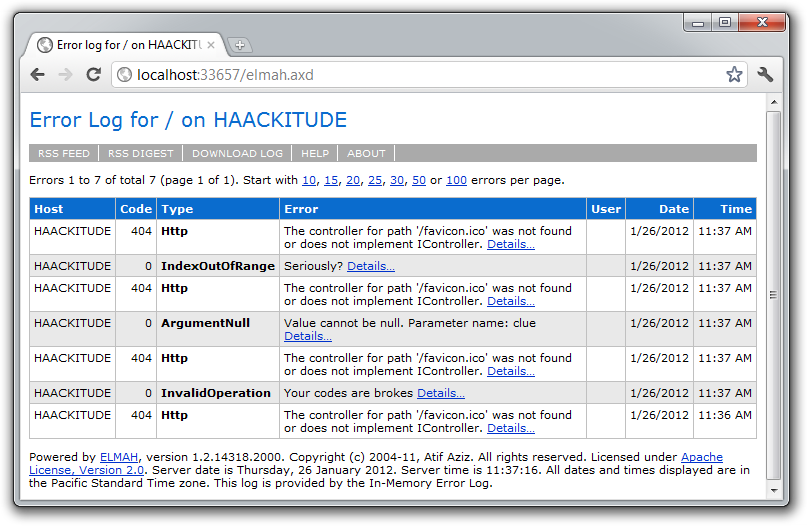
Having been around a while, a lot has already been written on it so I won’t rehash all that information. For more details, you can read the following:
All you need to know for the purposes of this post is that ELMAH is implemented as two key components:
- An HTTP Module Used To Log Exceptions
- An HTTP Handler for viewing Exceptions
In the sample web.config file that is included with the ELMAH download, the HTTP handler is configured like so:
<httpHandlers>
  <add verb="POST,GET,HEAD" path="elmah.axd"
    type="Elmah.ErrorLogPageFactory, Elmah" />
</httpHandlers>
This allows you to view the error log from the URL http://your-site/elmah.axd. There’s one big problem with this…you do not want to deploy this to your production site.
This would allow any joker with a browser to view your exceptions and potentially gain information that would allow someone to hack your site.
Personally, I think that the sample web.config should have elmah.axd
be secured by default. It’s quite easy to do. Here’s what I did:
First, I changed the HttpHandler section to look like this:
<httpHandlers>
  <add verb="POST,GET,HEAD" path="/admin/elmah.axd"
    type="Elmah.ErrorLogPageFactory, Elmah" />
</httpHandlers>
Notice that all I did was add admin to the path attribute.
I then added the following location element to my web.config.
<!-- Deny unauthenticated users to see the elmah.axd -->
<location path="admin">
  <system.web>
    <authorization>
      <deny users="?"/>
    </authorization>
  </system.web>
</location>
IMPORTANT: It’s important to note that I’m securing everything in the admin directory and that I’m making sure that elmah.axd is served from the root /admin URL. If the httpHandler “path” element was just “admin/elmah.axd” or “elmah.axd” I could inadverdently expose Elmah information.
Troy Hunt has a great write-up of the perils of getting ELMAH configuration wrong. In his post he shows a more robust way to secure elmah.axd. Put the httpHandlers section within the location section.
<location path="elmah.axd">
  <system.web>
    <httpHandlers>
      <add verb="POST,GET,HEAD" path="elmah.axd"
        type="Elmah.ErrorLogPageFactory, Elmah" />
    </httpHandlers>
    <authorization>
      <allow roles="Admin" />
      <deny users="*" />
    </authorization>
  </system.web>
  <system.webServer>
    <handlers>
      <add name="Elmah" path="elmah.axd" verb="POST,GET,HEAD"
        type="Elmah.ErrorLogPageFactory, Elmah"
        preCondition="integratedMode" />
    </handlers>
  </system.webServer>
</location>
To demonstrate this in action, I’ve created a solution containing a Web Application project with ELMAH and authentication fully implemented.
The point of this sample app is to demonstrate how to set this all up. So for example, the login page has a button to auto-log you in. In the real world, you’d probably use a real login form. You can also change the authentication from Forms authentication to Windows authentication depending on your needs. That might make sense in many scenarios.
The app demonstrates in principle how to setup and secure the elmah.axd page. If you have SQL Express installed, you should be able to compile and run the demo without any extra steps to see ELMAH in action.
Comments
33 responses